Bench answer
The reliable starting point
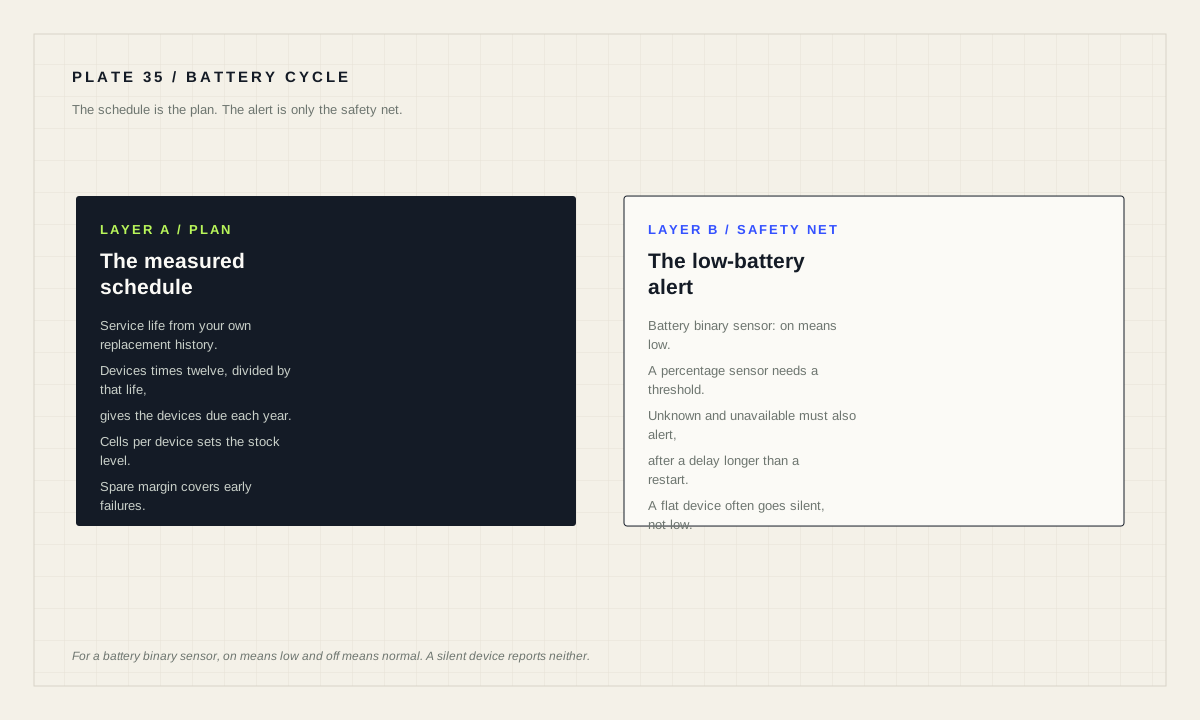
Battery devices fail silently, so treat replacement as scheduled maintenance rather than a response to a fault. Take the number of devices, the cells each one takes and the service life you have actually observed, and turn it into a fixed cadence and a stock level. Back it with a low-battery alert — the battery binary-sensor device class is defined so that on means low and off means normal — and make sure that alert treats unknown and unavailable as a problem rather than as good news.
Why battery devices need a schedule, not a reaction
Most faults announce themselves. An integration that loses its connection turns entities unavailable, an automation with a bad entity ID throws an error, a failing disk fills the log. A battery running out does none of that. The device reports for the last time and then stops, and every automation that depends on it starts silently taking the branch for “no motion” or “door closed”.
Zigbee and Z-Wave battery devices are especially prone to going unnoticed because they are designed to be quiet. The ZHA documentation describes them as hardware that is typically battery-powered, such as remotes or motion sensors, and notes that some sleepy sensors, such as door or temperature sensors, only report when triggered. A device that is supposed to be silent for days is not distinguishable from a dead one by silence alone.
Hence the schedule. If you know roughly how long a cell lasts in your house, you can replace them before they run out, in planned rounds, with the batteries already in a drawer. That is a fundamentally different operation from discovering at eleven at night that the only motion sensor on the stairs has been dead for a fortnight.
Measure service life; do not inherit it
Service life is the only input to the planner that cannot be looked up honestly. The figure on the packaging was measured under conditions that are not your hallway. Reporting interval, how often the device is actually triggered, radio retries when the mesh is weak, temperature, and the quality of the cells all move it, sometimes by a factor of two.
So measure. Write down the date every time you replace a battery, in whatever place you will actually look again: a note on the device, a helper in Home Assistant, a line in a maintenance file. After one cycle you have a real number for your house, and that number is worth more than any specification.
Until you have it, use a deliberately conservative estimate and treat the first cycle as the measurement. Being early on a battery round costs a few cells. Being late costs an automation that was quietly wrong for a fortnight and a household that no longer believes the system.
Build the yearly plan
Run the planner once per battery type you stock. Mixing coin cells and AAs into one calculation produces a stock figure that is right in aggregate and wrong in the drawer.
Planning tool
Battery replacement planner
Service life is the one number that must come from your own records. Everything else follows from it arithmetically — the values pre-filled below are placeholders so the tool has something to show, and every one of them should be replaced with your own.
The service-round interval is the number that turns this into an actual routine. Rather than replacing devices one at a time as they fail, the plan tells you how often to do a batch, so battery maintenance becomes a recurring calendar entry with a known duration instead of an interruption.
Back the schedule with an alert that fails safe
The schedule is the plan and the alert is the safety net. Home Assistant defines the semantics precisely: for a binary sensor with the battery device class, on means low and off means normal. Devices that report a percentage instead expose a numeric sensor, and a numeric-state threshold works there.
The failure mode to design against is an alert that goes quiet for the wrong reason. If a device has already gone flat, its entity may be unavailable or unknown rather than reporting a low battery, and a naive numeric threshold treats a missing value as “not below the limit”, which is to say, as fine. Test for the uncertain states explicitly.
alias: "Battery attention — low or silent"
triggers:
  - trigger: state
    entity_id: binary_sensor.hall_motion_battery
    to: "on"
    id: low
  - trigger: state
    entity_id: binary_sensor.hall_motion_battery
    to:
      - "unknown"
      - "unavailable"
    for: "06:00:00"
    id: silent
actions:
  - action: notify.send_message
    target:
      entity_id: notify.household_admin
    data:
      message: >-
        {{ 'Hall motion battery is low.' if trigger.id == 'low'
           else 'Hall motion has not reported for six hours.' }}
mode: single
The six-hour delay on the silent branch matters. Devices go briefly unavailable during a Home Assistant restart, an integration reload or a radio hiccup, and an alert that fires on every one of those becomes noise that gets muted, which is worse than having no alert at all. Choose a duration comfortably longer than your longest normal gap.
The same template patterns that guard any sensor apply here. Home Assistant's templating documentation covers checking whether a state has a real value before comparing it, which is the difference between an alert that catches a dead device and one that reports it as healthy.
Stock, spares and the batch you actually do
The spare percentage in the planner is not padding for its own sake. It covers early failures, the device you forgot to count, the cell that was already half flat in the packet, and the one you drop behind the radiator. Twenty-five per cent is a reasonable starting point for a small fleet, and the right figure is whatever stops you making an unplanned trip.
Batch size is a genuine trade-off rather than an optimisation. Small rounds mean visiting the loft four times a year; large rounds mean replacing cells that had months left in them. Somewhere in between is a round you will actually do, and a round you actually do beats an optimal round you skip.
Buy cells from somewhere with turnover and check the date on the packet. Coin cells in particular sit on shelves, and a cell that has already spent two years in a warehouse does not owe you the service life your plan assumes. Keep them in one labelled place, because a battery round that starts with a search does not stay a habit.
One thing not to economise on: devices whose failure is consequential. Whatever the plan says, a sensor that a safety-adjacent routine depends on deserves replacing early and checking after. Software schedules do not replace purpose-built alarms, and no automation on this site is a certified safety system.
Make the round routine
Put the interval the planner produced into whatever calendar the household actually reads, with the battery type and the device list attached. Do the round, write down the date, and update the service-life figure once you have a full cycle of evidence. The plan gets more accurate every time you run it, which is the entire point of measuring rather than guessing.
Review the fleet count whenever you add devices, and re-run the planner rather than assuming the stock level still holds. Ten new contact sensors is not a rounding error on an annual cell budget.
Battery maintenance checklist
- Service life measured from your own replacement history, not the packaging.
- One plan per battery type, not one plan for mixed cells.
- Replacement dates written down somewhere you will look again.
- Low-battery alert configured, with on meaning low.
- Unknown and unavailable states alert after a delay rather than passing silently.
- Spare stock covers early failures and uncounted devices.
- Fleet count and plan reviewed whenever devices are added.
Source desk
Primary documentation used for this guide. Interface names and behaviors can change; confirm the current page before changing a live installation.
- Zigbee Home Automation (ZHA)Official description of battery-powered sleepy devices that only report when triggered.Official source ↗
- Working with statesOfficial guidance on unknown, unavailable and checking whether a state has a value.Official source ↗
- Template integrationOfficial availability templates and numeric-state rules for derived sensors.Official source ↗
- Binary sensor entityOfficial battery device class semantics: on means low, off means normal.Official source ↗
- Sensor entityOfficial battery device class and sensor state semantics.Official source ↗
Source review completed .
Frequent questions
How do I calculate how many batteries I need each year?
Multiply the device count by twelve, divide by the observed service life in months, then multiply by the cells each device takes. Add a spare margin for early failures and devices you did not count.
What does the battery binary sensor device class mean?
For a binary sensor with the battery device class, on means low and off means normal. Devices reporting a percentage use a numeric sensor instead, where a numeric-state threshold applies.
Why should my alert treat unavailable as a problem?
Because a flat device often stops reporting rather than reporting a low battery. A plain numeric threshold reads a missing value as not below the limit, so a dead sensor looks healthy unless you test for unknown and unavailable explicitly.
Can I trust the battery percentage a device reports?
Treat it as a signal, not a fuel gauge. Many devices derive it from voltage, so it can sit high for months and then drop quickly, and two identical sensors can disagree. Use a measured schedule as the primary plan.
Why replace batteries in batches instead of when they fail?
Because a battery failure is silent: the device stops reporting and dependent automations quietly take the wrong branch. A scheduled round replaces cells before that happens, with the stock already on hand.