Bench answer
The reliable starting point
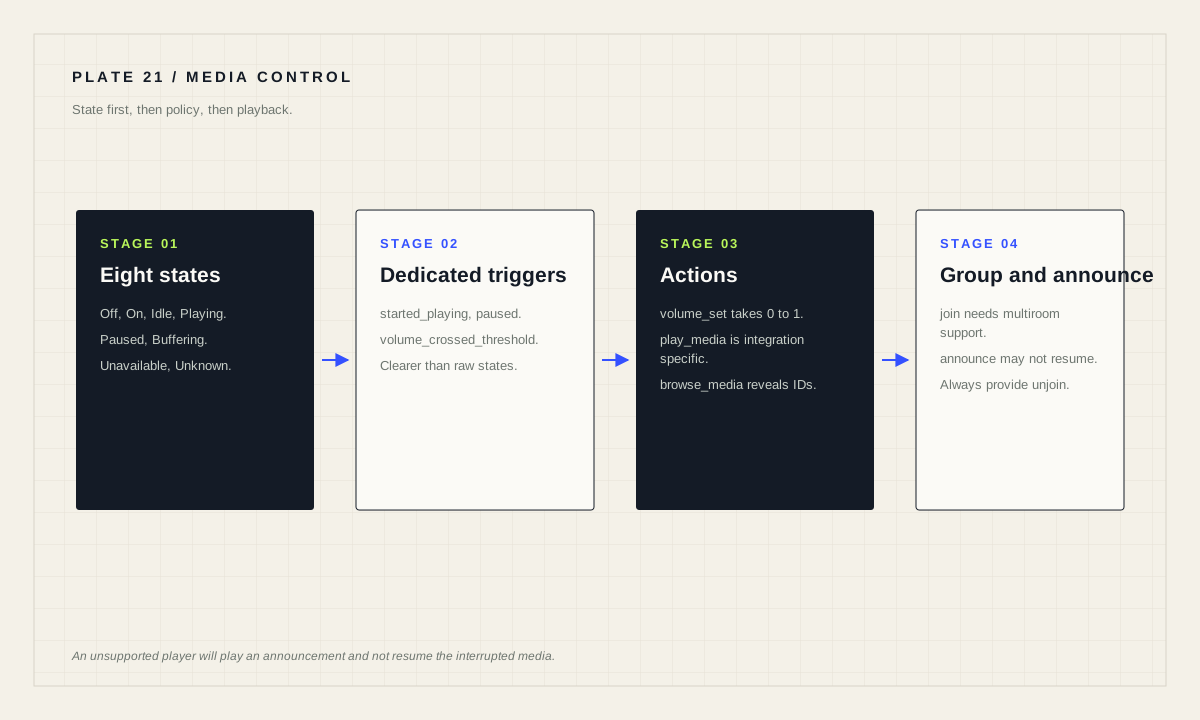
Media player is a building block integration provided by other integrations. Build on the documented states — off, on, idle, playing, paused, buffering, unavailable, unknown — and prefer the dedicated triggers and conditions over hand-written state comparisons. For announcements, use media_player.play_media with announce: true, but know that unsupported players will play the announcement and not resume the interrupted media.
Learn the eight states before writing logic
A media player can be Off (turned off, not accepting commands until turned on), On (turned on but no details of its state are known), Idle (on and accepting commands but not playing, possibly at a home screen), Playing, Paused (has active media and is paused), Buffering (preparing to start playback), Unavailable, and Unknown.
Two of these routinely break naive automations. on is not playing — a television can be on and showing a menu. buffering is not playing either, so a rule that dims lights only when the state is exactly playing may fire a beat later than expected, or an “is it still playing?” check may see a buffering gap as a stop.
Because support varies by integration, watch your actual device through a real session before trusting a state. Open the entity, play something, pause it, stop it, and turn the device off. Five minutes of observation prevents a week of odd behaviour.
Use the dedicated triggers and conditions
The media player building block provides purpose-built triggers: media_player.started_playing, stopped_playing, paused_playing, turned_on, turned_off, muted, unmuted, volume_changed and volume_crossed_threshold. It also provides conditions including is_playing, is_not_playing, is_paused, is_on, is_off, is_muted, is_unmuted and is_volume.
Prefer these over comparing raw states yourself. They express intent, they read clearly in the visual editor, and they insulate your automation from the state subtleties in the previous section. The documentation's own example dims the living-room lights on media_player.started_playing for the living-room television, which is exactly the shape most households want.
alias: "Dim the room when the TV starts playing"
triggers:
  - trigger: media_player.started_playing
    target:
      entity_id: media_player.living_room_tv
actions:
  - action: light.turn_on
    target:
      entity_id: light.living_room_lights
    data:
      brightness_pct: 25
A useful companion pattern is the bedtime check: trigger at a time, use media_player.is_playing as a condition on the bedroom speaker, and send a notification if audio is still running. It nudges rather than intervenes, which is the right level of authority for a device in someone's bedroom.
The action vocabulary, and where it gets specific
Available actions include turn_on, turn_off, toggle, volume_up, volume_down, volume_set, volume_mute, media_play_pause, media_play, media_pause, media_stop, media_next_track, media_previous_track, clear_playlist, shuffle_set, repeat_set, play_media, select_source, select_sound_mode, join and unjoin.
Several take platform-dependent values, and this is where copied examples fail. volume_set takes volume_level as a float in the range 0 to 1. media_seek takes a seek_position whose format is platform dependent. select_source takes a source name that is platform dependent. repeat_set accepts off, all or one.
play_media is the most capable and the most integration-specific: media_content_id is a media identifier whose format is integration dependent — the documentation notes you can provide URLs to Sonos and Cast but only a playlist ID to iTunes — and media_content_type must be one of music, tvshow, video, episode, channel or playlist.
Announcements: the feature that fails quietly
Setting announce: true requests that the media player temporarily stop playing, announce your media, and then resume. The documented caveat deserves emphasis: if the media player does not support this feature, the announcement will play but the player will not resume the interrupted media once the announcement finishes.
That is a real household consequence. An unsupported speaker will interrupt someone's album to tell them the washing machine finished, and then leave silence. Test the announcement path on each speaker you intend to use it with, while something is deliberately playing, before you wire it into a routine.
The related enqueue option accepts add, next, play or replace, and if the player does not support the feature, the new media plays and the enqueue directive is ignored. Both of these are examples of a general rule for this domain: assume graceful degradation is not graceful until you have watched it.
Grouping speakers for synchronous playback
The media_player.join action groups media players together for synchronous playback and, as the documentation states, only works on supported multiroom audio systems. It takes the entity whose playback will be expanded, plus group_members, the players to be synced with it. media_player.unjoin removes a player from any groups.
Design grouping around rooms people actually move between, and always provide an unjoin path. A group that was formed by an automation and never dissolved is how a guest bedroom ends up playing kitchen radio at seven in the morning.
alias: "Downstairs audio — join for a shared session"
triggers:
  - trigger: state
    entity_id: input_boolean.downstairs_audio
    to: "on"
actions:
  - action: media_player.join
    target:
      entity_id: media_player.kitchen
    data:
      group_members:
        - media_player.dining_room
        - media_player.living_room
mode: single
Device classes help the interface tell these apart: media players support tv, speaker and receiver, which influence how the entity is represented on dashboards. Setting them correctly makes a room card readable at a glance.
Browsing media from an automation
media_player.browse_media provides access to the media tree an integration exposes, similar to browsing through the media player interface. It returns a tree object that can be stored in a response variable for use in later automation steps, including title, media_class, media_content_type, media_content_id, children_media_class and children.
An empty content ID returns the top level of the browse tree, which is the correct way to discover what identifiers your device actually uses. The documentation notes that structure and content types vary between integrations and that media content IDs are often URL-encoded — its Sonos example shows an artist path with %20 in place of spaces.
This is the honest answer to “how do I find the ID for my playlist?”. Rather than guessing at a format from a forum post about a different device, browse the tree on your own system and read the identifier back.
Before a media automation goes live
- Real states observed on the actual device, not assumed.
- Dedicated triggers and conditions used instead of raw state strings.
- Announcement resume behaviour tested on each speaker.
- Enqueue behaviour confirmed, or not relied upon.
- Grouping has a matching unjoin path.
- Media identifiers discovered with browse_media, not guessed.
- Household agreement on which events may interrupt a room.
Source desk
Primary documentation used for this guide. Interface names and behaviors can change; confirm the current page before changing a live installation.
- Media playerOfficial states, triggers, conditions, actions, announcement and grouping behaviour.Official source ↗
- CameraOfficial camera.play_stream action for playing a camera stream on a media player.Official source ↗
- Concepts and terminologyOfficial definitions for entities, areas and scenes used in media routines.Official source ↗
Source review completed .
Frequent questions
What states can a media player entity have?
Off, On, Idle, Playing, Paused, Buffering, Unavailable and Unknown. On means the player is powered but no details of its state are known.
How do I make a speaker announce something and then resume?
Use media_player.play_media with announce set to true. If the player does not support the feature, the announcement plays but the interrupted media will not resume.
What range does volume_set use?
The volume_level attribute is a float in the range 0 to 1.
Can I group speakers for synchronous playback?
Yes, using media_player.join with group_members, but the documentation notes this only works on supported multiroom audio systems. Use media_player.unjoin to remove a player from groups.
How do I find the media content ID for my device?
Use media_player.browse_media with an empty content ID to return the top level of the browse tree, then read the identifiers. Formats are integration specific and often URL-encoded.