Bench answer
The reliable starting point
Climate is a building block integration: other integrations provide it. Read hvac_action — heating, cooling or idle — to know what the equipment is actually doing, rather than inferring it from the mode. Prefer climate.set_preset_mode or climate.set_temperature over turning devices off, keep the manufacturer's own frost and safety limits intact, and never automate mains wiring — that is not a software problem.
Decide who owns the decision
A thermostat already contains a controller. It has a schedule, hysteresis, and often protective limits. When Home Assistant also decides target temperatures, you have two controllers with different information, and the symptom is a system that oscillates or reverts changes you made ten minutes ago.
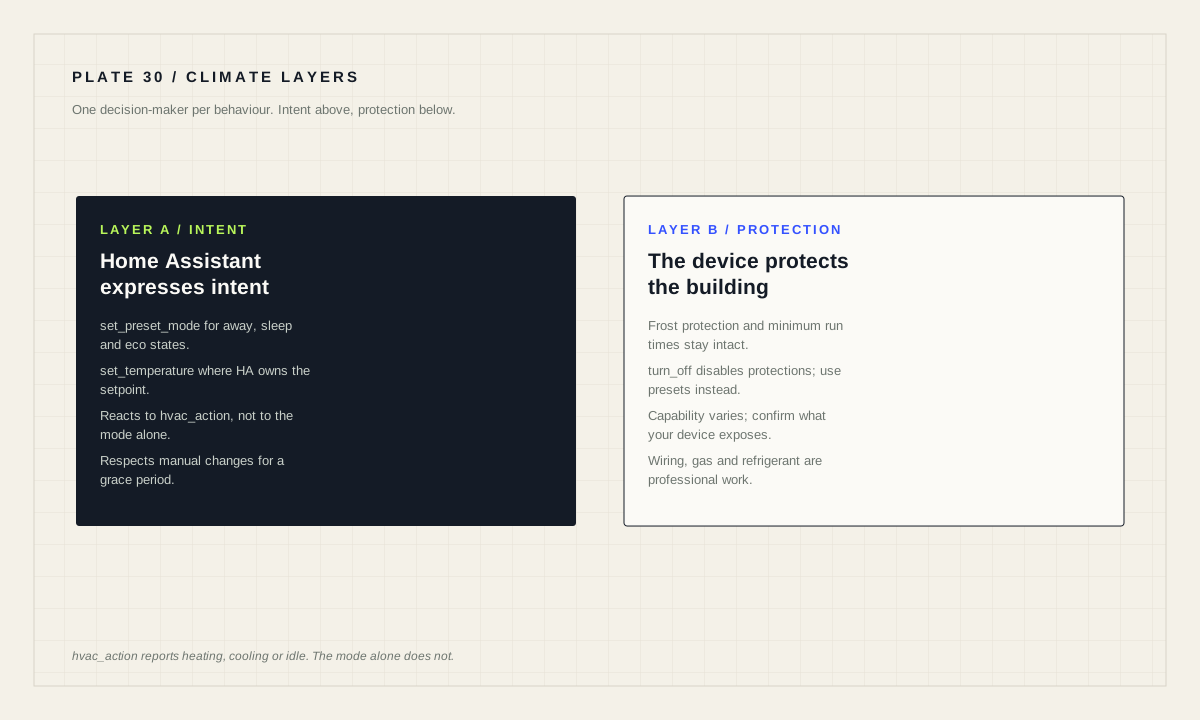
Pick one owner per behaviour. Either the thermostat runs the schedule and Home Assistant only nudges it into presets, or Home Assistant owns the setpoint and the thermostat's internal schedule is disabled. The mixed arrangement, where both are half-configured, is the one that produces the complaints.
Whatever you choose, leave the manufacturer's protective behaviour alone. Frost protection, minimum run times and compressor delays exist to protect the building and the equipment. An automation that defeats them is not clever; it is expensive.
Modes describe intent; hvac_action describes reality
An HVAC entity can be Off, Heat (set to heat to a target temperature), Cool, Heat/Cool (set to a target temperature range), Auto (set to a schedule, learned behaviour or AI), Dry, Fan only (only the fan is on, with no heating or cooling), Unavailable or Unknown. Which states exist depends on the device and its capabilities.
Those describe what the device has been asked to do. What it is doing lives in the hvac_action attribute, documented as the current state: heating, cooling or idle. There is also a fan_mode attribute indicating whether the fan is currently on or off.
The distinction matters for anything that reacts to heating. A thermostat in heat mode sitting at target is idle, not heating. An automation that opens a valve or logs runtime based on the mode will be wrong most of the day; one based on hvac_action will be right.
Use climate triggers and conditions rather than raw comparisons
The climate building block provides purpose-built triggers: climate.started_heating, climate.started_cooling, climate.started_drying, climate.hvac_mode_changed, climate.turned_on, climate.turned_off, climate.target_temperature_changed, climate.target_temperature_crossed_threshold, climate.target_humidity_changed and climate.target_humidity_crossed_threshold.
It also provides conditions: climate.is_heating, climate.is_cooling, climate.is_drying, climate.is_on, climate.is_off, climate.is_hvac_mode, climate.target_temperature and climate.target_humidity.
alias: "Pause heating while a window is open"
triggers:
  - trigger: state
    entity_id: binary_sensor.living_room_window
    to: "on"
    for: "00:02:00"
conditions:
  - condition: climate.is_heating
    target:
      entity_id: climate.living_room
actions:
  - action: climate.set_preset_mode
    target:
      entity_id: climate.living_room
    data:
      preset_mode: "eco"
mode: single
Two deliberate choices in that example. The window must be open for two minutes, so a brief airing does not thrash the system — remembering that a trigger for timer does not survive a restart. And the response is a preset change rather than climate.turn_off, which leaves the device's own protections in charge.
Prefer presets and setpoints over off
The available actions are climate.set_temperature, climate.set_hvac_mode, climate.set_preset_mode, climate.set_humidity, climate.set_fan_mode, climate.set_swing_mode, climate.set_swing_horizontal_mode, climate.turn_on, climate.turn_off and climate.toggle.
set_preset_mode is usually the best tool for household routines because presets are the device's own language for “we are away” or “we are asleep”. The manufacturer has already decided what those mean, including any protective floor, and using them keeps your automation aligned with the equipment rather than in tension with it.
turn_off should be reserved for cases where genuinely nothing should run. Off means off, including anything the device would otherwise do to protect pipes or itself. In a cold climate that is a decision with consequences beyond comfort.
Because capability varies by device, confirm which actions and presets your specific thermostat exposes before writing logic around them. The building block documents what is possible; the integration decides what is implemented.
Humidity, dehumidifiers and the sensor you actually trust
Humidity automation follows the same discipline. Target humidity is set with climate.set_humidity, and there are triggers for the humidity setpoint changing or crossing a threshold, plus a climate.target_humidity condition.
Note what those describe: the setpoint, not the measured room humidity. If you want to react to how damp a room actually is, that is a separate sensor and a numeric state trigger on it. Confusing the two produces automations that appear to do nothing, because the setpoint is not changing.
Place humidity sensors where the answer matters and away from where it lies — not directly above a kettle, not next to a shower, not in a draught. A dehumidifier automation is only as good as the measurement it reacts to, and a badly placed sensor produces a device that runs constantly for no benefit.
Where automation stops
Some boundaries are worth stating plainly. This guide covers software configuration of climate entities. It does not cover electrical work. Anything involving mains wiring, boiler internals, refrigerant, flues or gas belongs to a qualified professional and is outside what any automation guide can responsibly describe.
Do not automate around a fault. A heating system that behaves oddly needs servicing, not a rule that restarts it. An automation layered over a hardware problem hides the symptom and delays the repair.
And keep the ordinary controls working. Every household member should be able to change the temperature with the physical control, and that change should not be silently reverted by an automation thirty seconds later. If your logic must reassert a setpoint, give it a grace period after manual intervention — a house that overrules the people in it is a house nobody trusts.
Climate automation gate
- One owner per behaviour: thermostat schedule or Home Assistant, not both.
- Reactions built on
hvac_action, not the mode alone. - Presets and setpoints preferred over
turn_off. - Manufacturer frost and safety limits left intact.
- Window and airing logic uses a delay, with restart behaviour understood.
- Humidity setpoint distinguished from measured humidity.
- Manual changes respected for a grace period.
- No electrical, gas or refrigerant work attempted in software.
Source desk
Primary documentation used for this guide. Interface names and behaviors can change; confirm the current page before changing a live installation.
- ClimateOfficial HVAC states, hvac_action attribute, actions, triggers and conditions.Official source ↗
- Automation triggersOfficial trigger behaviour, including the for-timer restart caveat.Official source ↗
- Automation conditionsOfficial condition behaviour used to gate climate changes.Official source ↗
Source review completed .
Frequent questions
What is the difference between the climate state and hvac_action?
The state describes the mode the device is set to, such as Heat or Auto. The hvac_action attribute describes the current state of the equipment: heating, cooling or idle.
Which HVAC states can a climate entity report?
Off, Heat, Cool, Heat/Cool, Auto, Dry, Fan only, Unavailable and Unknown, depending on the specific device and its capabilities.
Should an automation turn the thermostat off when a window opens?
Usually not. A preset change with climate.set_preset_mode keeps the manufacturer's protective behaviour in charge, whereas turning off disables it.
Why does my humidity automation never run?
The climate humidity triggers and condition describe the target humidity setpoint, not the measured room humidity. React to a humidity sensor with a numeric state trigger instead.
Can Home Assistant control my boiler wiring?
Automation guides cover software configuration of climate entities only. Mains wiring, boiler internals, refrigerant and gas work require a qualified professional.